v2rayN Download and Usage Guide #
v2rayN Usage Guide #
v2rayN is an open-source VPN software application for Windows computers. It can change the IP address used when you access the internet. For example, if ChatGPT or YouTube is not supported or accessible in your country or network, you can use this software. v2rayN is similar to proxy applications such as sing-box, Clash for Windows, Hiddify, V2Box, Shadowrocket, Karing, Surge, and Stash, while offering many additional features. It can help hide your online identity and, according to the source, may be faster than a traditional VPN. If you need a more stable and secure network environment, consider using paid network nodes. v2rayN supports multiple protocols, including Shadowsocks, VMess, VLESS, Reality, Trojan, and Hysteria2.
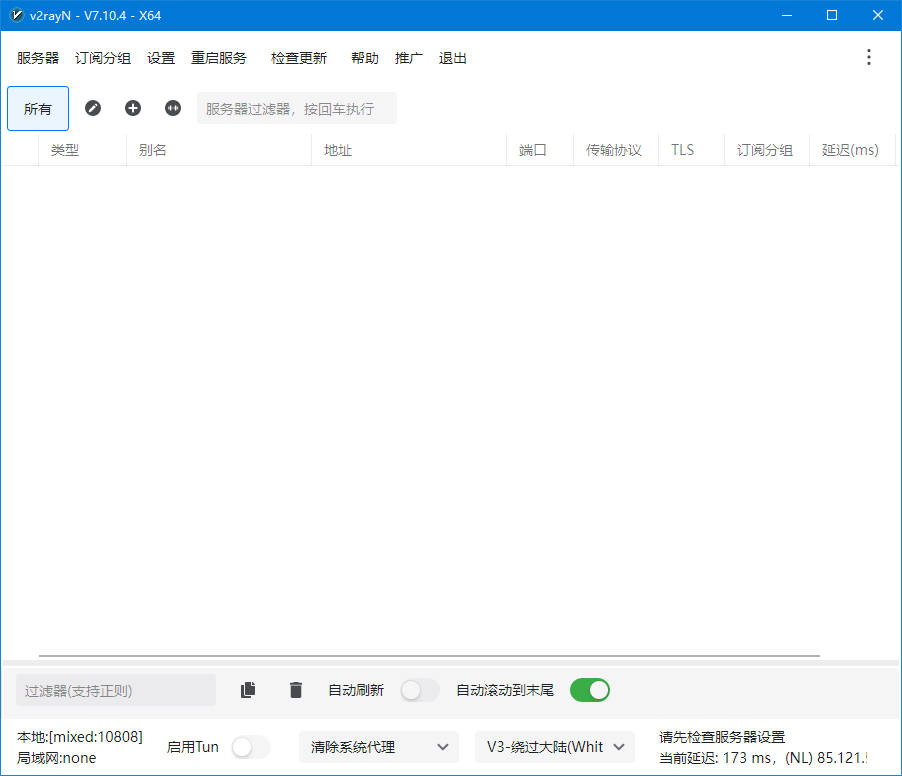
v2rayN Download #
- If you cannot download v2rayN from GitHub, you can download it from the network drive provided in the source.
- Download from GitHub
- Download from network drive
How to Use v2rayN #
- v2rayN is a proxy client.
- You need to import a node server before you can use it.
- The source recommends the 农夫山泉 service. Click open the 网际快车 official website and register an account with your email address.
- According to the source, the service has been operating for 3 years. The example plan costs RMB 7 for 20 GB with no time limit.

- After registration, click to purchase a subscription and choose a plan. The source recommends the RMB 7 / 20 GB plan with no time limit.
- Payment can be made through Alipay or WeChat Pay.

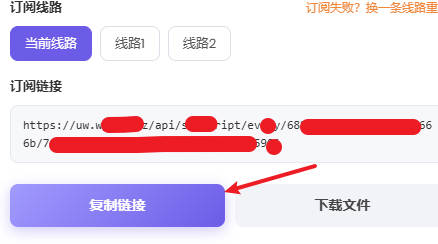
- After payment, open the usage tutorial, select Universal Subscription, and copy the subscription URL.
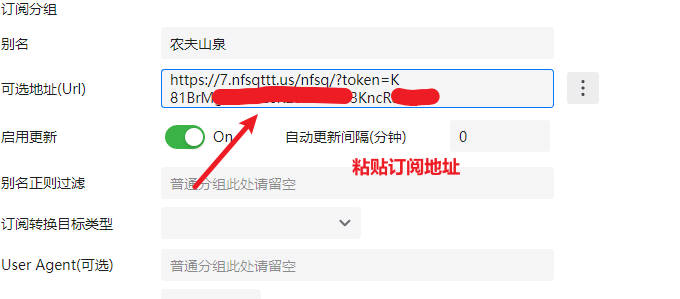
- Open v2rayN and click the + button in the application interface to add a subscription group.

- Enter the subscription information and save it.
- Click the subscription group and select Update All Subscriptions.
- There are two options: update through the proxy or without the proxy. Either option can be used.
- As long as the subscription can be updated successfully, the nodes can be downloaded.
- After a successful update, you will see multiple network nodes.
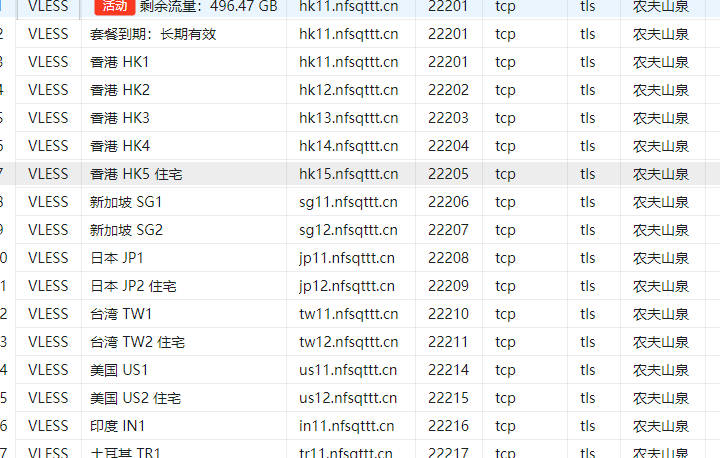
- Press Ctrl + A to select all nodes, then right-click to check their latency.
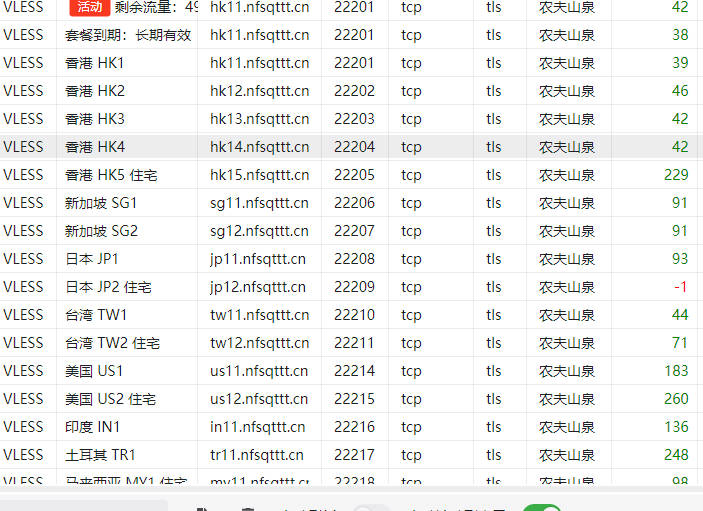
- Right-click one of the nodes and select Set as Active Server.
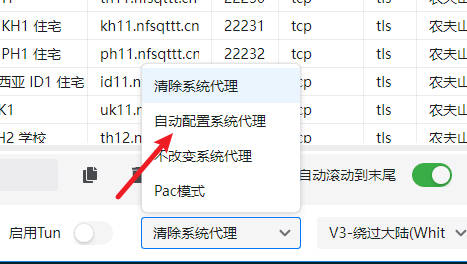
- At the bottom of the application, click Clear System Proxy, then select Automatically Configure System Proxy.
- You can then access external internet services.
- Note: The source recommends not installing PC management software or antivirus software on the computer.
- According to the source, such software may interfere with or block network traffic.